EcoTrans Navi is a SaaS-based tool that automatically calculates and visualizes CO₂ emissions. It provides one-stop support from CO₂ calculation to reduction, helping customers reduce Scope 3 emissions and manage decarbonized businesses.

ECOTRANS NAVI
ECOTRANS NAVI
Solution Overview
Simply upload your shipping data, and we'll automatically calculate three items: CO₂ emissions, freight charges, and lead time*. This calculation is possible not only with our own transportation data but also with data from other companies' transportation services. We can provide the information necessary for creating official documents such as the Specific Shipper Report (Ministry of Land, Infrastructure, Transport and Tourism) and the Logistics Efficiency Improvement Application (Agency for Natural Resources and Energy). The calculation results can be centrally viewed on a dashboard, which also supports comparisons between different transportation modes and comparisons of emissions between the current mode and a designated mode.
* Freight charges and lead times are calculated based on our company's products.

| Service Type | Automatic CO₂ emission calculation and visualization tool |
|---|---|
| Calculation target | CO₂ emissions from domestic transport / freight charges* / lead time* *Freight charges and lead times are calculated based on our company's products. |
| Output compatible | Dashboard display / CSV output |
| Intellectual property | Patent registered (Patent No. 7796560) |
| Service History | November 2021: First version released / September 2022: Version 2 with expanded features / March 2024: Relaunched as a SaaS product. |
Try using EcoTrans Navi
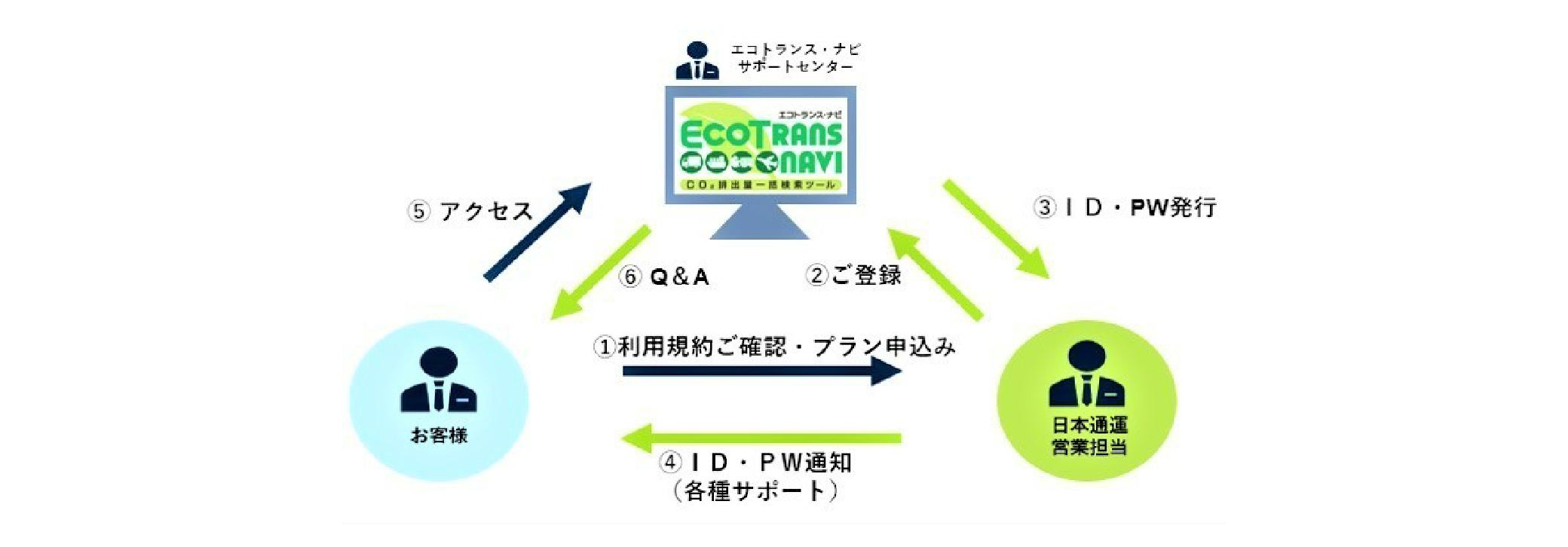
An application is required to use this service. Please contact our sales representative for details. Simply upload your shipping data to automatically calculate CO₂ emissions.
Implementation effects
Calculation process
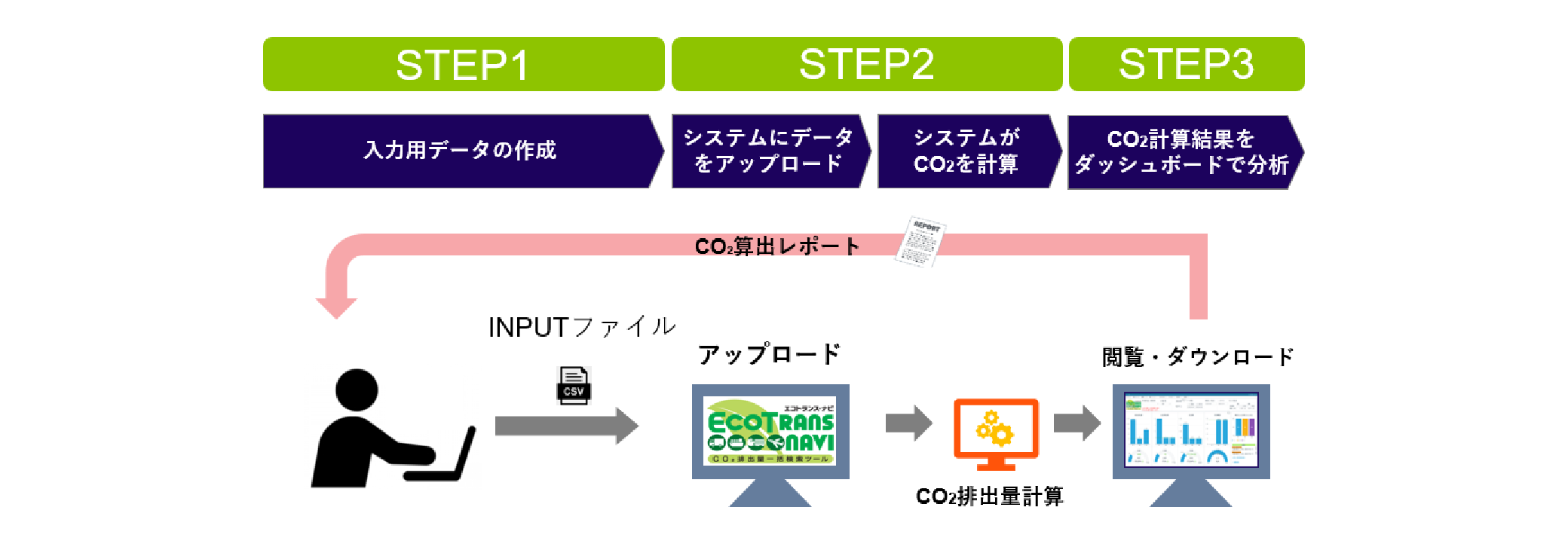
EcoTrans Navi's calculation process is simple and completed in just three steps. It enables labor and efficiency savings through automatic calculation of CO₂ emissions.
STEP 1: Creating input data
Please prepare a CSV file containing shipping data (weight, distance, mode, etc.) as input data.
STEP 2 Upload data to the system / The system calculates CO₂
Upload a CSV file to EcoTrans Navi. The system will automatically calculate CO₂ emissions.
STEP 3 Analyze the calculation results on the dashboard
You can view and analyze calculation results on the dashboard. Downloading CO₂ calculation reports is also supported.